
Welcome to Gaia! ::

Reply Banana Pirates (Your Subforum for Art of all Kinds)
Freebie Winamp Skins, and Icons, Graphics tutorial! :) Goto Page: 1 2 [>] [»|]

Quick Reply

Enter both words below, separated by a space:

Can't read the text? Click here

Submit

Gold?
  yup..
View Results

Narren7
Crew

Hilarious Lunatic

PostPosted: Wed Dec 21, 2005 4:58 pm


User Image
^ Right Here 3nodding

Icons are addicting to make.
So I thought hell why not.
And I decided I'd share them with you folks.
They are 100x100 pixel user pictures.
Great for live/ dead/ greatest/ myspace/ xanga journals usage.

The non animated icons also make good msn/yim etc messenger user pics. The Winamp skins are on page 20.
And I have alot more skins then that.
I just sorta ran out of room. xp
I plan on rotating some out and new ones in sometime soon xd

Don't be shy with telling me what you took, like(d), or did'nt.
Any artist will tell you that we all get better from learning off our mistakes.

EDIT: I am remaking my site lol.
New url is here: User Image - Blocked by "Display Image" Settings. Click to show.
PostPosted: Thu Dec 22, 2005 9:01 am


Wow lots more ones I'd like than I realized. ohh *has taken about 10 so far and is on page 10* You know what ones i woulda taken. ohhh must search the rest before work :S

So far only complaint if your missing a moving Paine piccy ><

l)ark Cell


Narren7
Crew

Hilarious Lunatic

PostPosted: Thu Dec 22, 2005 12:08 pm


l)ark Cell
Sofar only complaint if your missing a moving Paine piccy ><


Which page?
I prolly mistyped something.
I do that sometimes cause I piddle with that site most of the time when I'm half asleep rofl

I have a whole new batch and FMA and Beyblade icons I still gotta add.
PostPosted: Thu Dec 22, 2005 7:42 pm


Narren7
l)ark Cell
Sofar only complaint if your missing a moving Paine piccy ><


Which page?
I prolly mistyped something.
I do that sometimes cause I piddle with that site most of the time when I'm half asleep rofl

I have a whole new batch and FMA and Beyblade icons I still gotta add.
I mean you got a pic of Paine but of the ones with moving pictures none of them are of paine

l)ark Cell


PremiumHeart

PostPosted: Thu Dec 22, 2005 11:48 pm


I couldn't find a link to any winamp skins? I'm confused. I must have missed something. Though everything else looks great sweetie. I can't believe you STILL have that website. After all of these years. 4laugh
PostPosted: Fri Dec 23, 2005 1:28 am


i'll take a looksie

i voted poll whore but i lurve joo domokun

S.A.


Narren7
Crew

Hilarious Lunatic

PostPosted: Fri Dec 23, 2005 5:48 am


PremiumHeart
I couldn't find a link to any winamp skins? I'm confused. I must have missed something. Though everything else looks great sweetie. I can't believe you STILL have that website. After all of these years. 4laugh


Page 20 lol

http://members.tripod.com/~narren7/icons2/page20.htm

I have so much crap I can't even put half of it up at once.
And yup tis a old old site sweatdrop
PostPosted: Sat Dec 24, 2005 4:43 am


Yeah, yeah. I know, I know jeez.
Though it would'nt do you much good without a PC, now would it?

Narren7
Crew

Hilarious Lunatic


FiearySquirrel
Vice Captain

PostPosted: Mon Dec 26, 2005 6:04 pm


Woah cool winamp skins Crys! heart

You gotta tell me how you go about making them! ^^
PostPosted: Thu Jan 12, 2006 12:13 pm


Wow! eek Awesomness!

I wish I could figure out how to be so artsy! I haven't touched PSP since Mike came out.

cenee
Vice Captain


Narren7
Crew

Hilarious Lunatic

PostPosted: Sat Jan 14, 2006 12:08 am


I'm a big graphic nerd.
And B get at me on msn sometime for that, you too Lise! 3nodding
PostPosted: Thu Feb 23, 2006 2:58 pm


I added a few new skins today ^^

Narren7
Crew

Hilarious Lunatic


Narren7
Crew

Hilarious Lunatic

PostPosted: Fri Mar 14, 2008 9:52 pm


I suck but fake it rather well lmao
Okays! Anywho.. YOSH! Crash course from hell! Ready! Go! =^_^=

Animation within images: YOU WILL NEED TO SAVE THESE 2 IMAGES!

User Image-User Image

User Image

To save time once you've erased behind the foreground image just add your border and text then paste it all into the frames at one go. Just make sure it fits the frame size!

By combining and sizing about anything is possible really.
I took these plain icons I made and combined them into a very nice icon.

User Image User Image

Resized that second one and made it a smaller file (amount of frames) suitable for a icon added text and a border with transparent punch outs from the borders template. This is the end results..

User Image-User Image

By doing the bottom layer under the white text in a darker color the text becomes 3d and much more defined to the readers eye.

User Image - Blocked by "Display Image" Settings. Click to show.

User Image
User Image-User Image

Here's more shifting bgs I made this way to put to use for icons and banners. These are base animations..

Base animation:
User Image-User Image

Base animation 1: User Image


User Image
By putting the focus image which in my Av, my border, and text on a transparent background it's simple to paste it into each animation frame quickly and have a clean flow.

BA1 Put to use: User Image

Base animation 2:
User Image

BA2 Put to use: User Image


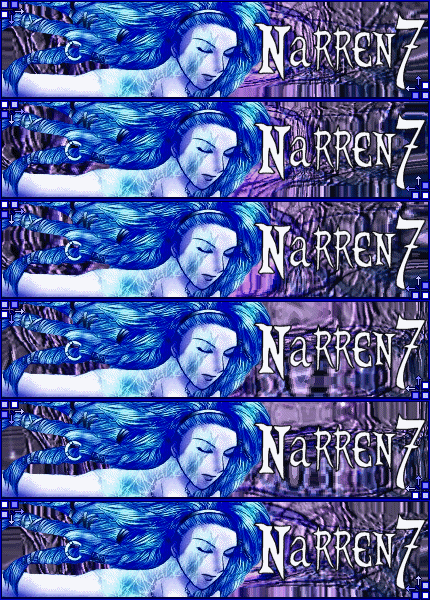
By taking the same concept animation "underwater" and using it over a flat image that I have put into red scale along with smooth text I done in PSP7 (paint shop pro 7) you get something along the lines of these sets.

User Image-User Image

User Image-User Image

BORDERS: With borders they are easiest to make and do in AS3 (Animation Shop 3)
By using the "Replace color" function you can quickly make gouge outs transparent by using a fill color not present in the image you are pasting the border over.
Afterwards once you get it into all the frames just "Replace Color" as transparent XD

Example Border Templates:
User Image User Image

Such templates in use:
User Image - Blocked by "Display Image" Settings. Click to show.User Image - Blocked by "Display Image" Settings. Click to show.

User Image - Blocked by "Display Image" Settings. Click to show.User Image - Blocked by "Display Image" Settings. Click to show.


Next up the ever annoying time consuming gouge and crop out banners.
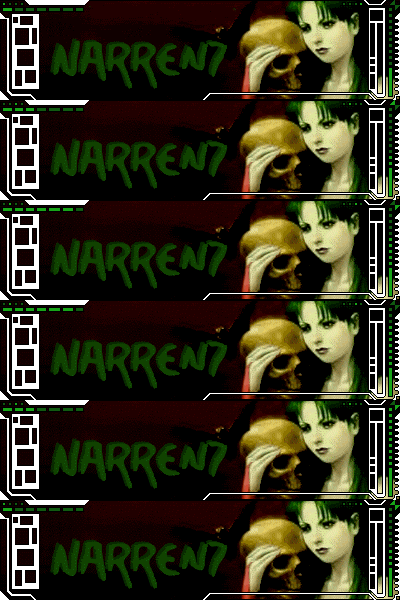
By erasing everything around a image and using tranparency you can make something like this set.
User ImageUser Image

By putting alternating colors into empty gaps of a template you can create shifting eye catching animation.
This can also be applied to text and borders.

Examples of color fill and alternating: User Image User Image

User Image

*You can rip apart AVI files with AS3 0-500 frames at a time.
Though you really should'nt go over 250 at a time, tends to crash if you do... sweatdrop


*Doll and sprite bases: http://distortdreflect.livejournal.com/4226.html#cutid1

Btw I have MSN and Skype feel free to add me if you'd like.
MSN: Narren7@hotmail.com
Skype: Narren7 (I love this program) *pets her mic headset*

I can walk you thru all of that up there if any of it didn't make sense.
I explained a few things to my sister and niece and they got it right off hee.
I have more that I'll prolly post up later as soon as I find it lol..
Reply
Banana Pirates (Your Subforum for Art of all Kinds)

Goto Page: 1 2 [>] [»|]
 
Manage Your Items
Other Stuff
Get GCash
Offers
Get Items
More Items
Where Everyone Hangs Out
Other Community Areas
Virtual Spaces
Fun Stuff
Gaia's Games
Mini-Games
Play with GCash
Play with Platinum