Welcome to Gaia! ::

Gunmetal Mercenaries [Under Construction]

Back to Guilds

Everybody's gotta make a livin' somehow~ 

Tags: Mercenary, Roleplay, Bullet, Metal, Action 

Reply The Guild House
Get your banners here! Goto Page: [] [<] 1 2

Quick Reply

Enter both words below, separated by a space:

Can't read the text? Click here

Submit

WolfyDrake

7,150 Points
  • Grunny Rainbow 100
  • Team Jacob 100
  • Survivor 150
PostPosted: Fri Jun 17, 2011 11:18 am


Belethiel
OneDarkWolf
Belethiel
Those are awesome! Hey, how do you make a banner anyway?

Any editing program like MS paint, gimp or something like those (I use Adobe Photoshop)
200px X 40px
Boom have at it. biggrin


Noooo, I mean how do you make them clickable? :3
Oooooo!
Okay soo
you get whatever URL you want to use say your DA
then where you put what the webpage is (like Click here for such and such)
you put and IMG code.
PostPosted: Fri Jun 17, 2011 11:23 am


OneDarkWolf
Belethiel
OneDarkWolf
Belethiel
Those are awesome! Hey, how do you make a banner anyway?

Any editing program like MS paint, gimp or something like those (I use Adobe Photoshop)
200px X 40px
Boom have at it. biggrin


Noooo, I mean how do you make them clickable? :3
Oooooo!
Okay soo
you get whatever URL you want to use say your DA
then where you put what the webpage is (like Click here for such and such)
you put and IMG code.


Huh? .-. How do you do that?

Belethiel
Vice Captain

Green Smoker

21,300 Points
  • Megathread 100
  • Cat Fancier 100
  • Bookworm 100

WolfyDrake

7,150 Points
  • Grunny Rainbow 100
  • Team Jacob 100
  • Survivor 150
PostPosted: Fri Jun 17, 2011 11:35 am


Belethiel
Huh? .-. How do you do that?

That URL button at the top of your post/reply bar thing that has all the little options.
You enter the url say - http://crazedwerewolf.deviantart.com then it prompts you to tell the wepage title like - CrazedWerewolf on deviantART

But for and image just put an image code say
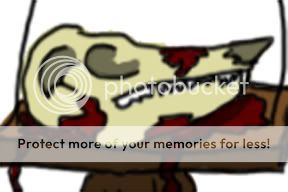
[IMG]http://i959.photobucket.com/albums/ae79/OneDarkWolf/Skellskull.jpg[/IMG]

that one ...
So when you click the picture of the skull you get sent to my deviantART page
Like so
User Image
[url=http://crazedwerewolf.deviantart.com][IMG]http://i959.photobucket.com/albums/ae79/OneDarkWolf/Skellskull.jpg[/IMG][/url]
PostPosted: Fri Jun 17, 2011 11:37 am


OneDarkWolf
Belethiel
Huh? .-. How do you do that?

That URL button at the top of your post/reply bar thing that has all the little options.
You enter the url say - http://crazedwerewolf.deviantart.com then it prompts you to tell the wepage title like - CrazedWerewolf on deviantART

But for and image just put an image code say
[IMG]http://i959.photobucket.com/albums/ae79/OneDarkWolf/Skellskull.jpg[/IMG]

that one ...
So when you click the picture of the skull you get sent to my deviantART page
Like so
User Image
[url=http://crazedwerewolf.deviantart.com][IMG]http://i959.photobucket.com/albums/ae79/OneDarkWolf/Skellskull.jpg[/IMG][/url]


Eh, I guess I'll figure it out when I get around to it.

Belethiel
Vice Captain

Green Smoker

21,300 Points
  • Megathread 100
  • Cat Fancier 100
  • Bookworm 100

WolfyDrake

7,150 Points
  • Grunny Rainbow 100
  • Team Jacob 100
  • Survivor 150
PostPosted: Fri Jun 17, 2011 12:05 pm


Belethiel

K this is as simple as I can make it....
[url=http://randomwebpage.com]Gaia Online[/url]

^^^ Standered URL Code

[url=http://randomwebpage.com][img]http://i959.photobucket.com/albums/ae79/OneDarkWolf/Skellskull.jpg[/img][/url]

^^^ Image URL Code

See instead of "Gaia Online" I put an User Image - Blocked by "Display Image" Settings. Click to show.
Reply
The Guild House

Goto Page: [] [<] 1 2
 
Manage Your Items
Other Stuff
Get GCash
Offers
Get Items
More Items
Where Everyone Hangs Out
Other Community Areas
Virtual Spaces
Fun Stuff
Gaia's Games
Mini-Games
Play with GCash
Play with Platinum